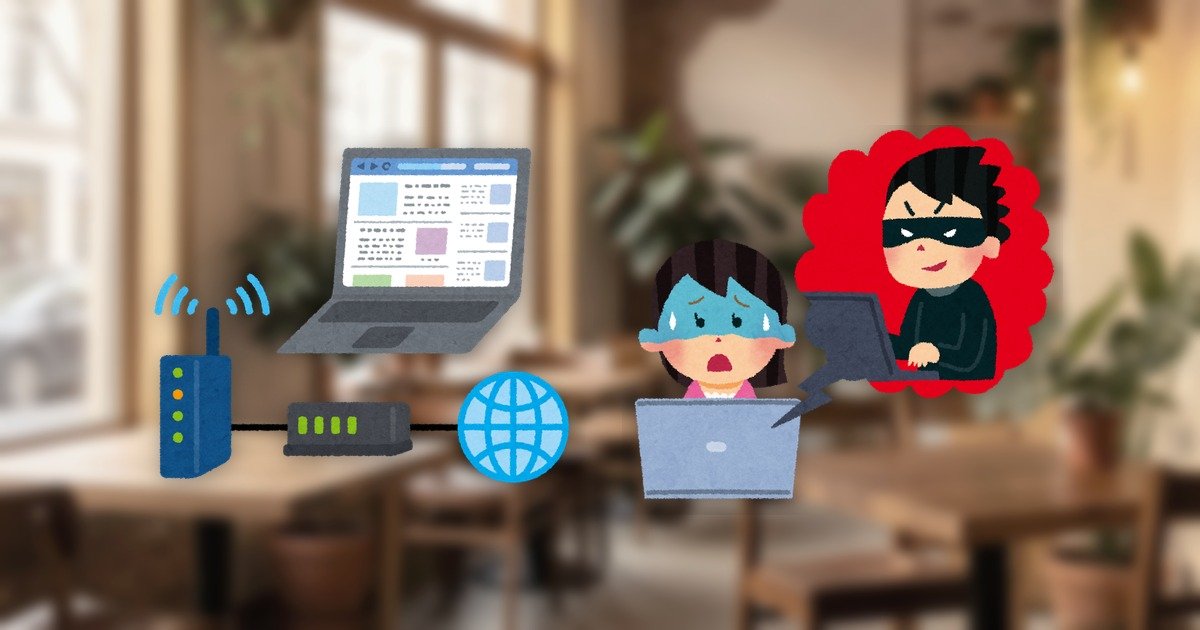
Conclusion: Public Wi-Fi at airports, hotels, and cafes carries real risks: on an unencrypted network, others on the same Wi-Fi may be able to observe your traffic, and attackers can stand up a fake “evil twin” hotspot that looks legitimate. HTTPS protects the contents of most traffic, but it does not hide which domains you visit or stop you from being lured onto a fake site. A VPN encrypts all traffic leaving your device, making it a practical safeguard against eavesdropping on public Wi-Fi. This article sticks to guidance from national security agencies, stays neutral and factual, and avoids fear-mongering.
What you will learn
- What can actually happen on open public Wi-Fi (eavesdropping and exposure)
- How evil-twin and rogue hotspots work
- What HTTPS covers — and what it does not
- What a VPN’s encryption protects on public Wi-Fi
- Practical habits you can adopt today
What actually happens on open public Wi-Fi
This article contains affiliate links. Placement and the presence of links never affect our editorial neutrality. Always confirm current prices, specifications, and availability on each provider’s official site.
Many free public Wi-Fi networks skip passwords and encryption to keep joining simple. The U.S. Federal Trade Commission’s consumer advice explains that on an unencrypted public network, others on the same network may be able to see what you send. In the past, simply browsing an unencrypted site was often enough for someone nearby to observe the information you typed.
Today most of the web has moved to HTTPS, so the naive eavesdropping risk is lower than it once was. But that does not make “public Wi-Fi is safe” a reliable assumption. What matters is using it while understanding what a network operator, or an attacker within radio range, could still do.
How evil-twin and rogue hotspots work
A second real risk on public Wi-Fi is a fake access point dressed up to look legitimate. An attacker sets up a hotspot with an official-sounding network name (SSID) such as “Airport_Free_WiFi” and waits for people to connect by mistake. This technique is known as an “evil twin.”
Once you connect to a fake access point, all of your traffic passes through the attacker’s equipment. They can present a fake login page or watch any unencrypted traffic. Because you cannot reliably tell a genuine SSID from a lookalike by name alone, the habit of “there’s free Wi-Fi, so I’ll just connect” is itself the weak point. Public campaigns from agencies such as CISA stress verifying that a network is legitimate and avoiding unknown networks as a basic habit.
What HTTPS covers — and what it does not
HTTPS (the padlock and https:// in your address bar) encrypts the contents of traffic between your browser and the destination server. That makes the “payload” — a password you type into a login form, a card number — hard for a third party in the middle to read. When HTTPS is working, the risk of someone reading your traffic contents on public Wi-Fi drops sharply.
HTTPS does not hide everything, though. Which domain you are connecting to can still be observed on the network to some degree. And HTTPS by itself cannot stop you from being steered onto a fake access point or a crafted page and then dutifully making a “correct” HTTPS connection to a fraudulent site. Treating the padlock as proof of total safety goes too far: HTTPS is important, but it is not a cure-all.
What a VPN’s encryption protects on public Wi-Fi
A VPN encrypts all the traffic leaving your device together and tunnels it to a VPN server. What the Wi-Fi access point, or anyone else on the same network, can see is just an encrypted blob — not which site you visited or what it contained. Where HTTPS protects things site by site, a VPN wraps the whole connection at once.
This is why encrypting your traffic on public Wi-Fi is the most legitimate and widely recommended use of a VPN. Guidance from security bodies such as the FTC, CISA, and the UK’s NCSC lists a VPN among the protections to use on untrusted networks. That said, a VPN is meant to prevent eavesdropping; it will not save you if you type your password into a fake site yourself. Technology and habits work best together.
Practical public Wi-Fi habits you can adopt today
First, do not casually connect to networks you cannot verify. Check the official SSID posted by the venue, and avoid confusingly similar names. For sensitive tasks such as logging into a bank, using your phone’s mobile data (tethering) instead of public Wi-Fi is the safer choice when you can.
On top of that, if you routinely use untrusted networks, a VPN that encrypts your traffic end to end is a practical safeguard. Here is how the major providers are positioned (partnerships are being finalized, so always confirm current pricing and availability officially).
| VPN | Positioning | Simultaneous devices | Notes |
|---|---|---|---|
| NordVPN | Among the largest server/country coverage, fast | 10 | (提携準備中) |
| Surfshark | Unlimited connections, family-friendly | Unlimited | (提携準備中) |
| ExpressVPN | Known for connection stability | 8 | (提携準備中) |
| Proton VPN | Swiss-based, privacy-first | Plan-dependent | (提携準備中) |
For a solid default, a large provider like NordVPN is a sensible starting point; to cover many family devices at once, Surfshark is a natural comparison. Either way, test it within the refund window on the public Wi-Fi you actually use.
FAQ
If I only use HTTPS sites, is public Wi-Fi safe?
HTTPS encrypts traffic contents, so the naive eavesdropping risk drops a lot. But it does not hide which domains you visit or stop you from being steered onto a fake site or evil-twin hotspot. HTTPS is important but not a cure-all, so on untrusted networks an added layer such as a VPN is a practical choice.
How can I tell whether a hotspot is an evil twin?
You cannot reliably tell from the SSID name alone. Check the official name posted by the venue and avoid lookalike names that merely appear official. When in doubt, do sensitive tasks over mobile data and pair public Wi-Fi with a VPN that encrypts your traffic.
Does a free VPN protect me on public Wi-Fi?
Some free products do encrypt traffic, but free VPNs are often weaker on speed, server quality, and operator transparency, and some handle your traffic opaquely. If privacy is the goal, choose a paid provider with a clear logging policy and known operator, and test it within the refund window.
References
- Are Public Wi-Fi Networks Safe? What You Need to Know (FTC Consumer Advice)
- Secure Our World (CISA)
- Small Business Guide: using passwords to protect your data (UK NCSC)
This article was compiled by the VPN editorial team by cross-checking official guidance from national security agencies against primary sources. Prices, specifications, and availability are current as of writing; confirm the latest details on each provider’s official site.
Comments